
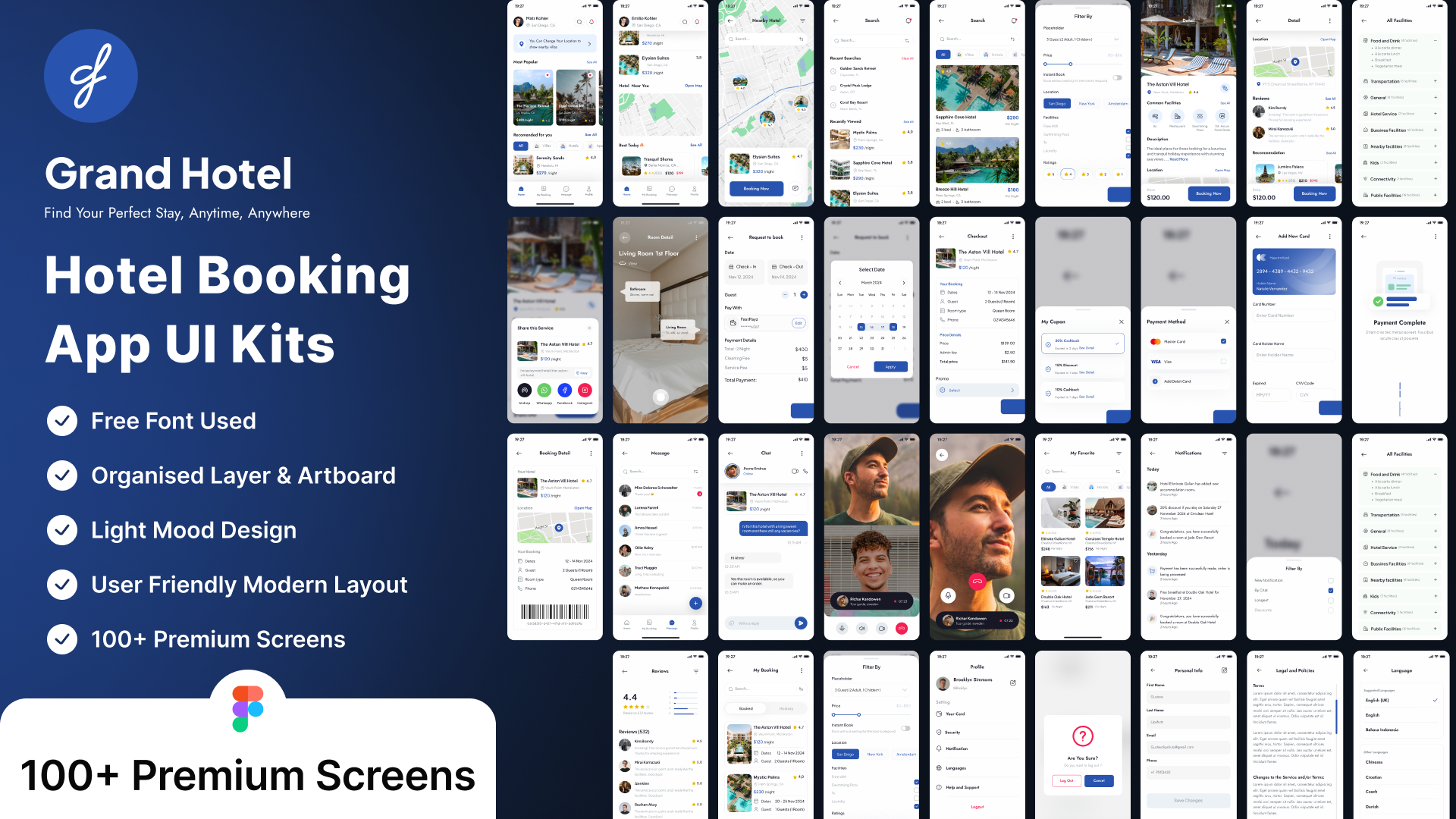
Grand Hotel - Hotel Booking App Ui Kits (Simplifies hotel bookings with a few clicks)
Validity: 365 Days
Template Description
License Terms
Delivery Format
Designing a Hotel Booking App UI involves creating a user-friendly, visually appealing, and intuitive interface.\r\n\r\n1. Home Screen\r\nSearch Bar: To input destination, dates, and guest details.\r\nPopular Destinations: Carousel or grid showcasing trending locations.\r\nPromotions and Offers: Highlight discounts or special deals.\r\nCategories: Filters for luxury, budget, family-friendly, etc.\r\n2. Search Results Page\r\nFilters and Sorting Options: Price, rating, distance, amenities, etc.\r\nHotel Cards: Display hotel name, price, rating, thumbnail image, and key details.\r\nMap View Toggle: Option to view hotels on a map.\r\n3. Hotel Details Page\r\nPhoto Gallery: High-quality images of the hotel.\r\nHotel Description: Overview of amenities, location, and services.\r\nGuest Reviews: Ratings and testimonials from previous guests.\r\nBooking Details: Room types, prices, cancellation policy, and availability.\r\nCTA (Call to Action): Prominent \"Book Now\" button.\r\n4. Booking Flow\r\nRoom Selection: Choose room type, number of rooms, and guests.\r\nPrice Breakdown: Show taxes, discounts, and final price.\r\nPayment Gateway: Integration with secure payment options (cards, wallets, etc.).\r\nConfirmation Page: Booking ID, hotel details, and options to modify or cancel.
Tags\r\n\r\n#app\r\n#app de\r\n#book\r\n#desi\r\n#fig\r\n#figma\r\n#hot\r\n#kit\r\n#ui\r\n#ux\r\n#web\r\n#web de